"When AI writes the code, documentation changes its job. It stops being a record of what happened and becomes instructions for what happens next."
Deploy, Fastidiously Documented AI Agent
Traditional documentation explains what was built. In AI-assisted development, documentation controls what will be built next. When you hand an AI coding assistant a well-structured intent document, a set of JSON constraints, and a test fixture, you are not just recording decisions for future humans. You are programming the AI's behavior for the current session. This section explores three documentation imperatives that arise from this shift: capturing human intent, documenting AI decisions, and establishing trust records. It then dives deep into the Intent + Evidence Bundle (IEB) introduced in Section 37.1, showing how each component functions as a machine-readable control surface. The section closes with a Python validation script and a governance layer for tracking accountability across AI-generated and human-reviewed code.
Prerequisites
This section builds on the Intent + Evidence Bundle introduced in Section 37.1, the prompt engineering fundamentals from Chapter 11, and the evaluation framework from Chapter 29. Familiarity with JSON Schema, Pydantic, and version control (Git) is helpful.

1. The Documentation Shift
For decades, software documentation served a single purpose: explain what the system does so that future maintainers can understand and modify it. The audience was always human. The timing was always retrospective: you wrote documentation after the code existed.
Documentation has gained a second audience: the AI. When you write a clear intent document, you are simultaneously explaining the system to a future human maintainer and programming the behavior of an AI coding assistant. A well-written CLAUDE.md or AGENTS.md file does not just record decisions; it actively shapes what the AI generates next. This dual-audience principle changes how you think about every sentence you write in a project specification.
AI-assisted development breaks both of those assumptions. The audience now includes AI coding assistants that read your project files as context before generating code. The timing shifts from retrospective to prospective: you write documentation before the code exists, and the documentation directly shapes what the AI produces. In this new model, documentation is not a mirror reflecting past work. It is a steering wheel pointed at future work.
This shift creates three new imperatives that traditional documentation practices do not address.
2. Three Documentation Imperatives
2.1 Capturing Human Intent
The first imperative is to capture what the system must do, what it
must not do, and why. This is the role of intent.md from the
Intent + Evidence Bundle (Section 37.1).
Intent documents differ from traditional requirements specifications in several ways:
- Dual audience. They are written for both human teammates and AI assistants. This means using concrete examples, testable assertions, and explicit constraints rather than vague goals like "the system should be fast."
- Living documents. They are updated continuously as new constraints emerge from observe-steer cycles, not written once and forgotten.
- Negative requirements. They emphasize what the system must never do. Traditional specs focus on positive requirements ("support these features"). Intent documents give equal weight to forbidden behaviors ("never fabricate order numbers," "never expose internal API keys in responses").
Negative requirements are more valuable than positive ones in AI-assisted development. An AI coding assistant can often infer what you want from a brief description and a few examples. What it cannot infer are your organization's safety boundaries, compliance constraints, and business rules about what must never happen. A single line in intent.md stating "Never call the payments API in test mode with real customer data" can prevent a costly incident that no amount of positive requirements would catch. Spend more time on your "must not" list than on your "must do" list.
2.2 Documenting AI Decisions
The second imperative is to maintain an audit trail for AI-generated artifacts. When a human developer writes code, the decision process lives in their head, in code review comments, and in commit messages. When an AI generates code, the decision process lives in a prompt that may never be saved. Without deliberate documentation, the reasoning behind AI-generated code evaporates the moment the chat session closes.
An effective AI decision record captures four things:
- The prompt. What instruction was given to the AI? Store versioned prompt templates in the
prompts/folder of your IEB, as discussed in Chapter 11. - The acceptance criteria. What was the human reviewer looking for when deciding to accept or reject the output?
- The disposition. Was the output accepted as-is, modified, or rejected? If modified, what changed and why?
- The confidence level. How confident is the team that this artifact is correct? "High confidence, backed by 50 passing test cases" is very different from "seems reasonable, no tests yet."
Who: A senior engineer on a healthtech team building a medical triage chatbot for a regional hospital network.
Situation: The team maintained a file called decisions.jsonl in their IEB, recording every design decision: the prompt used, the model version, what code was generated, whether the output was accepted or modified, and the reviewer's name.
Problem: Three months after launch, a clinical auditor asked why the system routes chest pain symptoms to the emergency category rather than the urgent-care category. Without a decision trail, the team would have had no defensible answer.
Decision: The engineer queried the decision log and traced the routing rule to a specific prompt version, a specific model (Claude 3.5 Sonnet), a specific reviewer (Dr. Chen), and the 12 test cases that validated the routing logic.
Result: The audit was resolved in 20 minutes with a complete evidence chain. The auditor noted this as a best practice for the hospital's other AI systems.
Lesson: A structured decision log transforms "the AI did it and someone approved it, probably" into a traceable, auditable evidence chain.
2.3 Establishing Trust Records
The third imperative is to track the verification status of every component in the system. Not all code is created equal. In an AI-assisted codebase, each module falls somewhere on a trust spectrum:
| Trust Level | Criteria | Appropriate Use |
|---|---|---|
| Verified | Human-reviewed, passing tests, eval suite coverage | Production, safety-critical paths |
| Reviewed | Human-reviewed, limited test coverage | Non-critical production paths |
| Generated | AI-generated, not yet human-reviewed | Development and staging only |
| Experimental | AI-generated, known limitations, flagged for rework | Prototyping, throwaway exploration |
Trust records can be as simple as a comment header in each file or as sophisticated as a metadata file that CI/CD pipelines consult before allowing deployment. The key requirement is that the trust level is explicit, machine-readable, and enforced. A deployment pipeline that blocks any module marked "Generated" from reaching production is worth more than a hundred code review reminders in Slack.
3. Machine-Readable Documentation
Prose documentation is necessary for human understanding, but AI tools work better with structured data. The most effective documentation strategy uses both: prose for context and rationale, structured formats for constraints that tools can consume and enforce automatically.
Three forms of machine-readable documentation are especially valuable:
- JSON Schema and Pydantic models. Define the shape of every input and output in your system as a schema. AI coding assistants can read these schemas and generate code that conforms to them. Evaluation harnesses can validate outputs against them. See Chapter 29 for how schemas integrate with evaluation pipelines.
- Test fixtures as documentation. A golden test set (
eval/golden.jsonl) documents expected behavior more precisely than any prose specification. Each test case is a concrete example of "given this input, the system should produce output matching these criteria." AI assistants can read these fixtures and generate code that passes them. - Configuration files as constraints. A
constraints.jsonfile listing maximum latency, token budgets, forbidden API calls, and required response fields gives AI tools a checklist to follow. Unlike prose instructions that may be interpreted loosely, a JSON constraint file is unambiguous.
{
 "project": "Acme Support Bot",
 "version": "1.2.0",
 "constraints": {
 "max_latency_ms": 3000,
 "max_tokens_per_turn": 500,
 "max_cost_per_turn_usd": 0.02,
 "forbidden_actions": [
 "call_payments_api_in_test_mode_with_real_data",
 "expose_internal_api_keys",
 "fabricate_order_numbers"
 ],
 "required_response_fields": [
 "answer",
 "confidence_score",
 "sources"
 ]
 },
 "models": {
 "primary": "claude-sonnet-4-20250514",
 "fallback": "claude-haiku-4-20250414",
 "routing_threshold": 0.85
 }
}The idea of "executable documentation" predates AI coding assistants by decades. Literate programming, invented by Donald Knuth in 1984, interleaved prose explanations with executable code in a single document. The difference today is directionality. Knuth's literate programs documented code that already existed. Modern intent documents and constraint files document code that does not exist yet, and the AI assistant uses them as instructions to create it. Knuth wrote documentation that described code. We write documentation that generates code.
4. The Intent + Evidence Bundle: Deep Dive
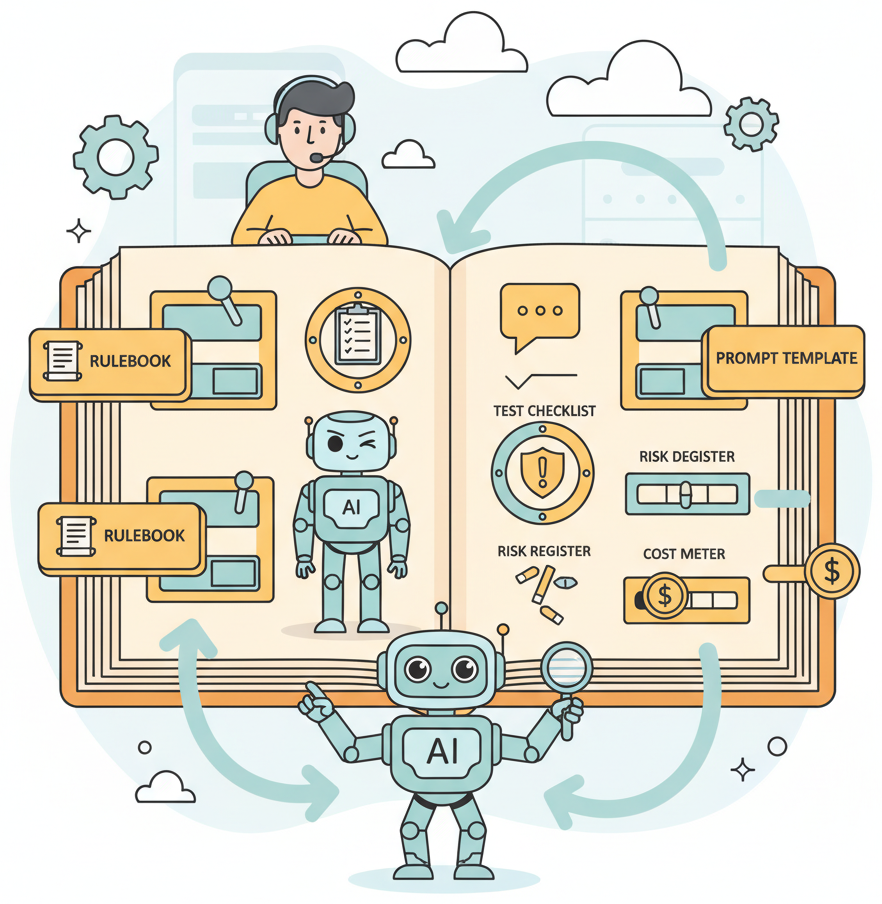
Section 37.1 introduced the Intent + Evidence Bundle (IEB) as a five-component folder structure. Here we examine each component in detail, explaining not just what it contains but how it functions as a control surface for AI-assisted development.
4.1 intent.md: The Non-Negotiables
The intent document is the single most important file in your project when working with AI assistants. It serves three roles simultaneously:
- System prompt for coding sessions. Paste it into your AI assistant at the start of every session. The assistant inherits your constraints, priorities, and forbidden behaviors.
- Onboarding document for new teammates. A new team member reads
intent.mdand understands what the system must do, what it must never do, and who approved those decisions. - Audit artifact. Stakeholder sign-offs, scope approvals, and change history provide a paper trail for compliance and governance reviews.
Effective intent documents include these sections:
- Must-do requirements: core capabilities stated as testable assertions
- Must-not-do requirements: forbidden behaviors, with rationale for each
- Approved scope: what is in bounds, what is explicitly out of bounds
- Stakeholder approvals: who signed off, when, and any conditions attached
- Forbidden optimizations: things the AI should never do even if they seem efficient (for example, "do not cache PII to reduce latency")
4.2 eval/: The Golden Set and Regression Tests
The evaluation folder contains the ground truth for your system's behavior. Its primary
artifact is golden.jsonl, a set of input/output pairs that define correct behavior.
As discussed in Chapter 29,
a golden set serves as both a regression baseline and a specification. When you add a new test
case after discovering a failure mode, you are simultaneously fixing a bug and updating the specification.
The eval folder should also contain:
- Scoring rubrics: how to evaluate open-ended outputs (relevance, accuracy, tone)
- Regression baselines: score snapshots from previous model or prompt versions
- Edge cases: adversarial inputs, boundary conditions, multilingual examples
4.3 prompts/: Versioned Templates
Every prompt template is source code and deserves the same version control discipline as
Python or JavaScript files. The prompts/ folder stores templates with explicit
version numbers and changelogs. When a model update breaks a prompt, you can diff the
working version against the broken one and pinpoint what changed. Without versioning,
prompt debugging becomes guesswork.
4.4 risk.md: Threat Model and Mitigations
The risk register documents known threats (prompt injection, data leakage, hallucination,
bias) along with their likelihood, impact, and mitigations. It is updated after every
incident, architecture change, or security review. AI assistants that read risk.md
can generate code with appropriate defensive measures already in place.
4.5 cost.md: Token Budgets and Routing Strategy
The cost document records token budget assumptions, model routing strategies, and cost-per-interaction targets. It prevents the common failure mode where a prototype uses an expensive model for every request and the team discovers only at scale that the monthly bill is ten times the budget. Documenting costs early forces routing decisions early, which is when they are cheapest to implement.
5. Validating the IEB: A Compliance Script
An IEB is only useful if it is complete and current. The following Python script validates an IEB folder for structural completeness, checks that required files exist and contain meaningful content, and generates a compliance report.
"""Validate an Intent + Evidence Bundle (IEB) for completeness.

Checks that all required files exist, contain meaningful content,
and generates a compliance report with pass/fail status for each
component. Designed to run in CI/CD pipelines as a quality gate.
"""
import json
import sys
from dataclasses import dataclass, field
from pathlib import Path
from datetime import datetime


@dataclass
class CheckResult:
 """Result of a single validation check."""
 name: str
 passed: bool
 message: str
 severity: str = "error" # "error" or "warning"


@dataclass
class ComplianceReport:
 """Aggregated compliance report for an IEB."""
 ieb_path: str
 timestamp: str
 checks: list[CheckResult] = field(default_factory=list)

 @property
 def passed(self) -> bool:
 return all(c.passed for c in self.checks if c.severity == "error")

 @property
 def score(self) -> str:
 total = len(self.checks)
 passing = sum(1 for c in self.checks if c.passed)
 return f"{passing}/{total}"

 def to_dict(self) -> dict:
 return {
 "ieb_path": self.ieb_path,
 "timestamp": self.timestamp,
 "overall_pass": self.passed,
 "score": self.score,
 "checks": [
 {
 "name": c.name,
 "passed": c.passed,
 "severity": c.severity,
 "message": c.message,
 }
 for c in self.checks
 ],
 }


def _check_file_exists(ieb: Path, filename: str) -> CheckResult:
 """Check that a required file exists."""
 target = ieb / filename
 if target.exists():
 return CheckResult(
 name=f"file_exists:{filename}",
 passed=True,
 message=f"{filename} found.",
 )
 return CheckResult(
 name=f"file_exists:{filename}",
 passed=False,
 message=f"{filename} is missing. Create it to complete the IEB.",
 )


def _check_file_nonempty(ieb: Path, filename: str,
 min_lines: int = 3) -> CheckResult:
 """Check that a file has meaningful content (not just a header)."""
 target = ieb / filename
 if not target.exists():
 return CheckResult(
 name=f"content_check:{filename}",
 passed=False,
 message=f"{filename} does not exist; cannot check content.",
 )
 lines = target.read_text(encoding="utf-8").strip().splitlines()
 if len(lines) < min_lines:
 return CheckResult(
 name=f"content_check:{filename}",
 passed=False,
 message=(
 f"{filename} has only {len(lines)} lines. "
 f"Expected at least {min_lines} lines of content."
 ),
 severity="warning",
 )
 return CheckResult(
 name=f"content_check:{filename}",
 passed=True,
 message=f"{filename} contains {len(lines)} lines of content.",
 )


def _check_golden_set(ieb: Path,
 min_cases: int = 10) -> CheckResult:
 """Check that the golden test set has enough cases."""
 golden = ieb / "eval" / "golden.jsonl"
 if not golden.exists():
 return CheckResult(
 name="golden_set_size",
 passed=False,
 message="eval/golden.jsonl not found.",
 )
 lines = [
 ln for ln in golden.read_text(encoding="utf-8").splitlines()
 if ln.strip()
 ]
 # Validate each line is parseable JSON
 parse_errors = 0
 for i, line in enumerate(lines, 1):
 try:
 json.loads(line)
 except json.JSONDecodeError:
 parse_errors += 1

 if parse_errors > 0:
 return CheckResult(
 name="golden_set_size",
 passed=False,
 message=f"{parse_errors} lines in golden.jsonl are not valid JSON.",
 )
 if len(lines) < min_cases:
 return CheckResult(
 name="golden_set_size",
 passed=False,
 message=(
 f"golden.jsonl has {len(lines)} cases. "
 f"Minimum recommended: {min_cases}."
 ),
 severity="warning",
 )
 return CheckResult(
 name="golden_set_size",
 passed=True,
 message=f"golden.jsonl contains {len(lines)} test cases.",
 )


def _check_prompt_versions(ieb: Path) -> CheckResult:
 """Check that the prompts folder has at least one versioned template."""
 prompts_dir = ieb / "prompts"
 if not prompts_dir.exists():
 return CheckResult(
 name="prompt_versions",
 passed=False,
 message="prompts/ directory not found.",
 )
 templates = list(prompts_dir.glob("*.txt")) + list(prompts_dir.glob("*.md"))
 if not templates:
 return CheckResult(
 name="prompt_versions",
 passed=False,
 message="No prompt templates found in prompts/ directory.",
 )
 return CheckResult(
 name="prompt_versions",
 passed=True,
 message=f"Found {len(templates)} prompt template(s) in prompts/.",
 )


def validate_ieb(ieb_path: str,
 min_golden_cases: int = 10) -> ComplianceReport:
 """Run all validation checks and return a compliance report.

 Args:
 ieb_path: Path to the IEB directory.
 min_golden_cases: Minimum number of golden test cases required.

 Returns:
 A ComplianceReport with individual check results.
 """
 ieb = Path(ieb_path)
 report = ComplianceReport(
 ieb_path=str(ieb.resolve()),
 timestamp=datetime.now().isoformat(),
 )

 if not ieb.exists():
 report.checks.append(CheckResult(
 name="ieb_directory",
 passed=False,
 message=f"IEB directory not found: {ieb_path}",
 ))
 return report

 # Required files
 for filename in ["intent.md", "risk.md", "cost.md"]:
 report.checks.append(_check_file_exists(ieb, filename))
 report.checks.append(_check_file_nonempty(ieb, filename))

 # Required folders
 for folder in ["eval", "prompts"]:
 folder_path = ieb / folder
 report.checks.append(CheckResult(
 name=f"folder_exists:{folder}",
 passed=folder_path.is_dir(),
 message=(
 f"{folder}/ directory found."
 if folder_path.is_dir()
 else f"{folder}/ directory is missing."
 ),
 ))

 # Golden set
 report.checks.append(_check_golden_set(ieb, min_golden_cases))

 # Prompt templates
 report.checks.append(_check_prompt_versions(ieb))

 return report


def print_report(report: ComplianceReport) -> None:
 """Print a human-readable compliance report to stdout."""
 status = "PASS" if report.passed else "FAIL"
 print(f"\n{'='*60}")
 print(f"IEB Compliance Report: {status}")
 print(f"Path: {report.ieb_path}")
 print(f"Timestamp: {report.timestamp}")
 print(f"Score: {report.score}")
 print(f"{'='*60}\n")

 for check in report.checks:
 icon = "[PASS]" if check.passed else "[FAIL]"
 severity = f" ({check.severity})" if not check.passed else ""
 print(f" {icon} {check.name}{severity}")
 print(f" {check.message}\n")

 if report.passed:
 print("Result: All required checks passed.\n")
 else:
 print("Result: One or more checks failed. Review the report above.\n")


if __name__ == "__main__":
 target = sys.argv[1] if len(sys.argv) > 1 else "./ieb"
 report = validate_ieb(target)
 print_report(report)

 # Optionally write JSON report
 json_path = Path(target) / "compliance_report.json"
 json_path.write_text(
 json.dumps(report.to_dict(), indent=2),
 encoding="utf-8",
 )
 print(f"JSON report written to: {json_path}")

sys.exit(0 if report.passed else 1)6. The Governance Layer
Documentation as a control surface reaches its full potential when combined with an explicit governance layer that tracks accountability. In a codebase where humans and AI assistants both contribute code, every artifact needs a clear answer to three questions: Who created it? Who reviewed it? What is its trust level?
A practical governance approach uses file-level metadata headers:
# trust: verified
# author: ai/claude-sonnet-4
# reviewer: j.martinez
# review_date: 2025-11-15
# eval_coverage: 47/50 golden cases passing
# decision_ref: decisions.jsonl#line-142

def route_support_ticket(ticket: dict) -> str:
 """Route a support ticket to the appropriate team.

 Routing logic validated against 47 of 50 golden test cases.
 Three remaining cases involve edge conditions documented in
 eval/edge_cases.md (lines 23-41).
 """
 category = ticket.get("category", "general")
 urgency = ticket.get("urgency", "normal")

 if urgency == "critical" and category in ("billing", "security"):
 return "escalation_team"
 if category == "technical":
 return "engineering_support"
return "general_support"trust: generated from production).The governance layer connects documentation to deployment policy. A CI/CD pipeline can scan for trust-level headers and enforce rules such as:
- No file with
trust: generatedmay be deployed to production. - Files with
trust: reviewedrequire at least one passing test suite. - Files with
trust: verifiedrequire both human review and evaluation coverage above 90%. - Any file without a trust header is treated as
experimentalby default.
This approach scales accountability. Instead of relying on informal norms ("make sure you review AI-generated code"), the governance layer encodes review requirements into the deployment pipeline itself. The documentation becomes enforceable policy, not just good advice.
The governance layer pairs naturally with the observability stack from Chapter 30. Trust-level metadata can be emitted as trace attributes, allowing you to filter production traces by trust level and spot patterns. If "generated" code that slipped through causes higher error rates, your observability dashboard will show it.
- Documentation is now a control surface, not a historical record. When AI assistants read your project files before generating code, every document you maintain becomes an instruction that shapes future output.
- Three imperatives govern AI-era documentation: capture human intent (especially negative requirements), document AI decisions (prompts, dispositions, confidence levels), and establish trust records (verification status for every component).
- Machine-readable documentation amplifies control. JSON schemas, Pydantic models, test fixtures, and constraint files give AI tools unambiguous instructions that prose cannot match. Use both: prose for human context, structured data for machine enforcement.
- The IEB is a complete control surface. Its five components (intent, eval, prompts, risk, cost) cover requirements, quality, versioning, safety, and economics. Validate it automatically with a compliance script integrated into CI/CD.
- Governance makes trust levels enforceable. File-level metadata headers combined with deployment pipeline rules ensure that AI-generated code cannot reach production without explicit human review and passing evaluations.
What Comes Next
With documentation functioning as a control surface and governance tracking accountability, Section 37.4: AI Coding Assistants: Trust but Verify examines the practical workflow of using AI coding tools (GitHub Copilot, Cursor, Claude Code) effectively and safely. You will learn patterns for reviewing AI-generated code, common failure modes to watch for, and techniques for steering assistants toward higher-quality output.
Show Answer
Show Answer
Show Answer
Bibliography
Knuth, D. E. (1984). "Literate Programming." The Computer Journal, 27(2), 97-111. doi:10.1093/comjnl/27.2.97
Aghajani, E., Nagy, C., Vega-Marquez, O. L., et al. (2019). "Software Documentation Issues Unveiled." Proceedings of the 41st International Conference on Software Engineering (ICSE). doi:10.1109/ICSE.2019.00122
Perry, N., Srivastava, M., Kumar, D., et al. (2023). "Do Users Write More Insecure Code with AI Assistants?" Proceedings of the 2023 ACM SIGSAC Conference on Computer and Communications Security (CCS). doi:10.1145/3576915.3623157
Peng, S., Kalliamvakou, E., Cihon, P., et al. (2023). "The Impact of AI on Developer Productivity: Evidence from GitHub Copilot." arXiv:2302.06590