Memory is what turns a sequence of isolated exchanges into a genuine relationship.
Echo, Sentimental AI Agent
Memory is what transforms a stateless LLM into a conversational partner that remembers. Without memory, every conversation starts from zero, and the system forgets everything the user said 30 minutes ago. With well-designed memory, the system can recall user preferences from weeks ago, summarize long conversations without losing critical details, and maintain continuity across sessions. Building on the context window constraints discussed in Section 14.7, this section covers the full spectrum of memory architectures, from simple sliding windows to sophisticated self-managing memory systems like MemGPT/Letta, giving you the tools to choose and implement the right memory strategy for your application.
Prerequisites
Memory management in conversations builds on the dialogue architecture from Section 21.1 and connects to the embedding and retrieval concepts in Section 19.1 (for memory retrieval via embeddings). Understanding token limits and context window management from Section 10.2 is essential, as memory strategies are fundamentally about managing finite context windows effectively.
1. The Memory Problem in Conversational AI
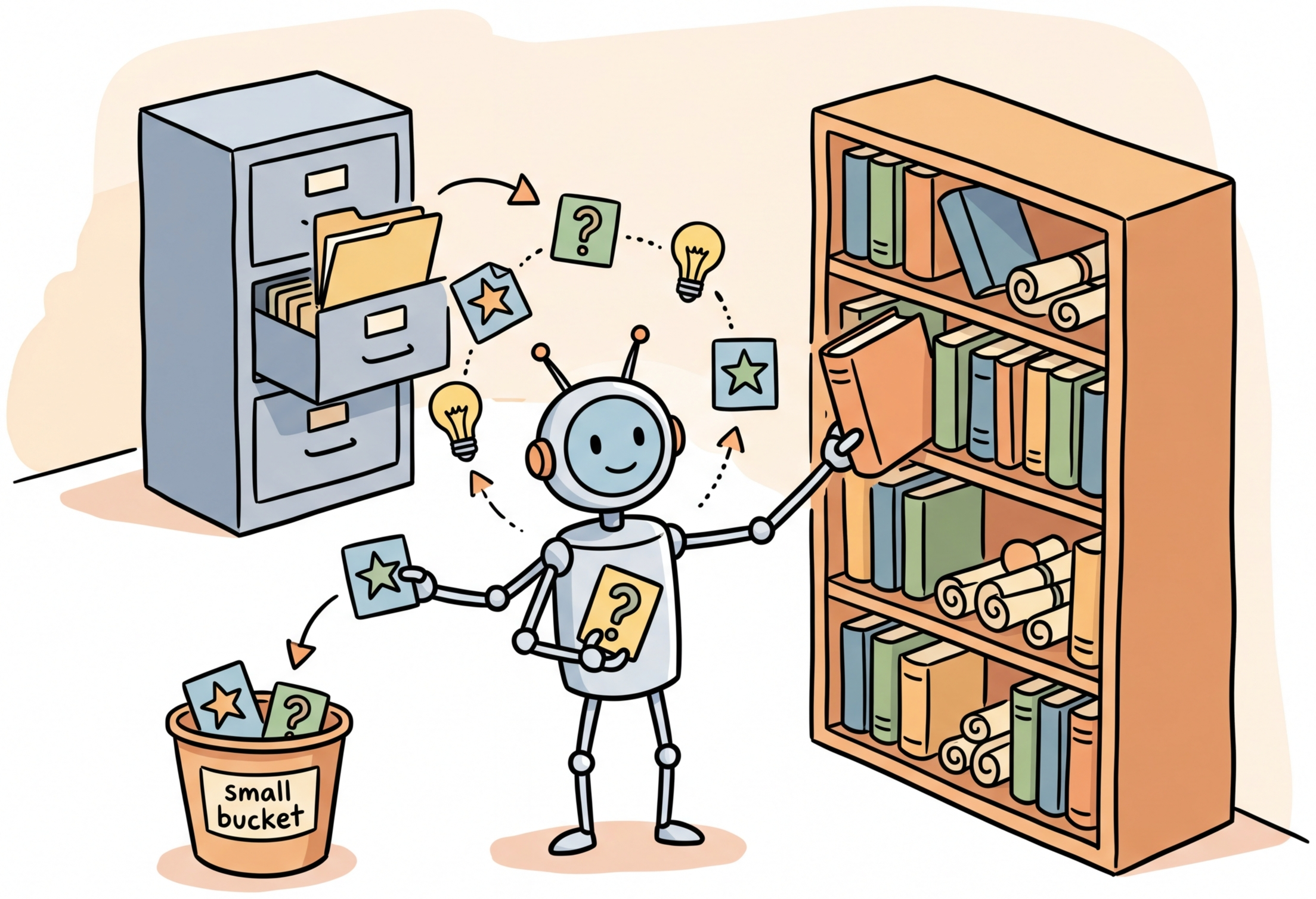
LLMs process conversations through a fixed-size context window. When the conversation history exceeds this window, older messages are simply dropped, taking important information with them. This fundamental limitation creates several practical problems: the system forgets what the user said earlier in a long conversation, it cannot recall information from previous sessions, and it has no way to distinguish important details from routine exchanges.
Memory management in conversational AI addresses these problems through a layered architecture that mirrors (loosely) how human memory works. Short-term memory holds recent conversation turns in full fidelity. Long-term memory stores compressed summaries, key facts, and searchable records that can be retrieved when relevant using the techniques from Chapter 19. The challenge lies in deciding what to remember, how to compress it, and when to retrieve it.
Human working memory holds roughly 7 items (plus or minus 2), a number established by George Miller in 1956. A 128K-token context window holds roughly 100,000 words. Yet both humans and LLMs still forget the important thing you told them ten minutes ago.
The layered memory architecture in conversational AI directly mirrors the three-store model of human memory proposed by Atkinson and Shiffrin (1968). Their model distinguished sensory memory (milliseconds), short-term memory (seconds to minutes, limited capacity), and long-term memory (potentially unlimited, requiring encoding and retrieval). The conversational system's raw message buffer corresponds to short-term memory with its limited window; the summarized, searchable long-term store corresponds to consolidated long-term memory. The process of summarizing recent turns before evicting them from the context window is analogous to the "rehearsal" and "consolidation" processes that transfer human short-term memories into long-term storage. Even the failure modes are parallel: humans suffer from retroactive interference (new memories overwrite old ones) and retrieval failure (the memory exists but cannot be found), both of which plague LLM memory systems when summaries lose detail or vector search returns irrelevant prior context.
With models offering 128K or even 1M token context windows, a common assumption is that memory management is no longer needed: just stuff the entire conversation history into the prompt. This approach fails for three reasons. First, cost scales linearly with context length; sending 100K tokens per request is expensive at scale. Second, the lost-in-the-middle effect (covered in Section 20.1) means models pay less attention to information in the middle of long contexts, so important details from earlier in the conversation get overlooked. Third, cross-session memory requires persisting information beyond a single API call, which no context window can provide. A well-designed memory system with summarization, priority-based eviction, and vector-backed retrieval outperforms brute-force context stuffing on both cost and quality.
Start with the simplest memory strategy that meets your needs. A sliding window of the last 20 messages works for most single-session chatbots. Add summarization only when conversations regularly exceed your context window. Add long-term memory (vector-based retrieval of past sessions) only when cross-session personalization is a product requirement, not an assumed need.
Figure 21.3.2 shows the layered memory architecture.
2. Short-Term Memory Strategies
Short-term memory holds the most recent portion of the conversation in its original form. The simplest approach is a fixed-size buffer that keeps the last N messages. More sophisticated approaches use token-based budgeting to maximize the amount of conversation that fits within the context window. Code Fragment 21.3.7 below puts this into practice.
Token-Aware Sliding Window
This snippet implements a sliding-window context manager that trims conversation history to fit within the model's token limit.
# Define Message, SlidingWindowMemory; implement __init__, add_message, get_context
# Key operations: results display, memory management
import tiktoken
from dataclasses import dataclass, field

@dataclass
class Message:
 role: str
 content: str
 token_count: int = 0
 timestamp: float = 0.0
 importance: float = 1.0 # 0.0 to 1.0

class SlidingWindowMemory:
 """Token-aware sliding window that maximizes conversation retention
 within a fixed token budget."""

 def __init__(self, max_tokens: int = 4000, model: str = "gpt-4o"):
 self.max_tokens = max_tokens
 self.encoder = tiktoken.encoding_for_model(model)
 self.messages: list[Message] = []
 self.total_tokens = 0

 def add_message(self, role: str, content: str,
 importance: float = 1.0) -> None:
 """Add a message and evict oldest messages if over budget."""
 import time
 token_count = len(self.encoder.encode(content))
 msg = Message(
 role=role, content=content,
 token_count=token_count,
 timestamp=time.time(),
 importance=importance
 )
 self.messages.append(msg)
 self.total_tokens += token_count

 # Evict oldest messages until within budget
 while self.total_tokens > self.max_tokens and len(self.messages) > 1:
 removed = self.messages.pop(0)
 self.total_tokens -= removed.token_count

 def get_context(self) -> list[dict]:
 """Return messages formatted for the LLM API."""
 return [
 {"role": m.role, "content": m.content}
 for m in self.messages
 ]

 def get_token_usage(self) -> dict:
 """Report current memory utilization."""
 return {
 "used_tokens": self.total_tokens,
 "max_tokens": self.max_tokens,
 "utilization": self.total_tokens / self.max_tokens,
 "message_count": len(self.messages)
 }

# Usage
memory = SlidingWindowMemory(max_tokens=4000)
memory.add_message("user", "Hi, I'm looking for a new laptop.")
memory.add_message("assistant", "I'd be happy to help! What will you primarily use it for?")
memory.add_message("user", "Mostly software development and occasional video editing.")

print(memory.get_token_usage())
3. Long-Term Memory with Summarization
When conversations grow beyond what the sliding window can hold, summarization compresses older portions of the conversation into shorter representations. The key design decision is when to summarize and how to balance compression (saving tokens) against information retention (keeping important details).
Progressive Summarization
Progressive summarization works by maintaining multiple levels of compression. Recent messages are kept in full. Slightly older messages are summarized into a paragraph. Much older content is compressed into a single sentence or key-value pair. This approach preserves detail where it matters most (recent context) while retaining the gist of earlier exchanges. Code Fragment 21.3.10 below puts this into practice.
# Define ProgressiveSummarizationMemory; implement __init__, add_turn, _summarize_oldest
# Key operations: RAG pipeline, prompt construction, memory management
from openai import OpenAI

client = OpenAI()

class ProgressiveSummarizationMemory:
 """Memory system with progressive summarization layers."""

 def __init__(self, full_window: int = 10, summary_trigger: int = 8):
 self.full_messages: list[dict] = [] # Recent, full fidelity
 self.summaries: list[str] = [] # Compressed older content
 self.key_facts: list[str] = [] # Extracted important facts
 self.full_window = full_window
 self.summary_trigger = summary_trigger

 def add_turn(self, user_msg: str, assistant_msg: str) -> None:
 """Add a conversation turn, triggering summarization if needed."""
 self.full_messages.append({"role": "user", "content": user_msg})
 self.full_messages.append(
 {"role": "assistant", "content": assistant_msg}
 )

 # Trigger summarization when buffer is full
 if len(self.full_messages) >= self.full_window * 2:
 self._summarize_oldest()

 def _summarize_oldest(self) -> None:
 """Summarize the oldest messages and move to summary tier."""
 # Take the oldest half of messages
 to_summarize = self.full_messages[:self.summary_trigger * 2]
 self.full_messages = self.full_messages[self.summary_trigger * 2:]

 # Format for summarization
 conversation_text = "\n".join(
 f"{m['role'].title()}: {m['content']}"
 for m in to_summarize
 )

 # Generate summary
 response = client.chat.completions.create(
 model="gpt-4o-mini",
 messages=[{
 "role": "user",
 "content": (
 "Summarize this conversation segment in 2-3 sentences. "
 "Preserve: user preferences, decisions made, "
 "unresolved questions, and key facts.\n\n"
 f"{conversation_text}"
 )
 }],
 temperature=0.3,
 max_tokens=200
 )
 summary = response.choices[0].message.content
 self.summaries.append(summary)

 # Extract key facts
 self._extract_facts(conversation_text)

 # Compress old summaries if they accumulate
 if len(self.summaries) > 5:
 self._compress_summaries()

 def _extract_facts(self, text: str) -> None:
 """Extract durable facts from conversation text."""
 response = client.chat.completions.create(
 model="gpt-4o-mini",
 messages=[{
 "role": "user",
 "content": (
 "Extract key facts from this conversation that should "
 "be remembered long-term. Return as a bullet list. "
 "Focus on: user preferences, personal details, "
 "decisions, and important context.\n\n" + text
 )
 }],
 temperature=0.0,
 max_tokens=200
 )
 facts = response.choices[0].message.content.strip().split("\n")
 self.key_facts.extend(
 f.strip("- ").strip() for f in facts if f.strip()
 )

 def _compress_summaries(self) -> None:
 """Merge multiple summaries into a single compressed summary."""
 all_summaries = "\n".join(self.summaries)
 response = client.chat.completions.create(
 model="gpt-4o-mini",
 messages=[{
 "role": "user",
 "content": (
 "Merge these conversation summaries into a single "
 "concise paragraph. Keep the most important details.\n\n"
 + all_summaries
 )
 }],
 temperature=0.3,
 max_tokens=200
 )
 self.summaries = [response.choices[0].message.content]

 def build_context(self, system_prompt: str) -> list[dict]:
 """Build the full context for an LLM call."""
 context = [{"role": "system", "content": system_prompt}]

 # Add key facts
 if self.key_facts:
 facts_text = "Key facts about this user:\n" + "\n".join(
 f"- {f}" for f in self.key_facts[-15:]
 )
 context.append({"role": "system", "content": facts_text})

 # Add conversation summaries
 if self.summaries:
 summary_text = (
 "Summary of earlier conversation:\n"
 + "\n".join(self.summaries)
 )
 context.append({"role": "system", "content": summary_text})

 # Add full recent messages
 context.extend(self.full_messages)

 return context
The most common mistake in conversation summarization is treating all information equally. User preferences ("I'm vegetarian"), decisions ("Let's go with the blue one"), and unresolved questions ("I still need to figure out the budget") are far more important to preserve than routine pleasantries or repeated information. A good summarization prompt explicitly prioritizes these categories of information.
4. Vector Store Memory
Vector store memory enables semantic retrieval of past conversation content. Rather than relying solely on recency (as the sliding window does), vector search retrieves the most relevant past exchanges based on what the user is currently discussing. This is particularly powerful for long-running relationships where a user might reference something from weeks ago. Code Fragment 21.3.7 below puts this into practice.
# Define MemoryEntry, VectorMemoryStore; implement __init__, store, retrieve
# Key operations: embedding lookup, results display, retrieval pipeline
from openai import OpenAI
import numpy as np
from dataclasses import dataclass
from typing import Optional

client = OpenAI()

@dataclass
class MemoryEntry:
 text: str
 embedding: list[float]
 timestamp: float
 session_id: str
 entry_type: str # "turn", "summary", "fact"
 metadata: dict = None

class VectorMemoryStore:
 """Semantic memory using embeddings for retrieval."""

 def __init__(self):
 self.entries: list[MemoryEntry] = []

 def store(self, text: str, session_id: str,
 entry_type: str = "turn",
 metadata: dict = None) -> None:
 """Embed and store a memory entry."""
 import time
 embedding = self._embed(text)
 entry = MemoryEntry(
 text=text,
 embedding=embedding,
 timestamp=time.time(),
 session_id=session_id,
 entry_type=entry_type,
 metadata=metadata or {}
 )
 self.entries.append(entry)

 def retrieve(self, query: str, top_k: int = 5,
 entry_type: Optional[str] = None,
 recency_weight: float = 0.1) -> list[dict]:
 """Retrieve the most relevant memories for a query."""
 query_embedding = self._embed(query)

 scored = []
 for entry in self.entries:
 if entry_type and entry.entry_type != entry_type:
 continue

 # Cosine similarity
 similarity = self._cosine_sim(
 query_embedding, entry.embedding
 )

 # Blend similarity with recency
 import time
 age_hours = (time.time() - entry.timestamp) / 3600
 recency_score = 1.0 / (1.0 + age_hours * 0.01)
 final_score = (
 (1 - recency_weight) * similarity
 + recency_weight * recency_score
 )

 scored.append({
 "text": entry.text,
 "score": final_score,
 "similarity": similarity,
 "entry_type": entry.entry_type,
 "session_id": entry.session_id,
 })

 scored.sort(key=lambda x: x["score"], reverse=True)
 return scored[:top_k]

 def _embed(self, text: str) -> list[float]:
 """Generate embedding for text."""
 response = client.embeddings.create(
 model="text-embedding-3-small",
 input=text
 )
 return response.data[0].embedding

 @staticmethod
 def _cosine_sim(a: list[float], b: list[float]) -> float:
 a, b = np.array(a), np.array(b)
 return float(np.dot(a, b) / (np.linalg.norm(a) * np.linalg.norm(b)))

# Example: Store and retrieve memories
store = VectorMemoryStore()
store.store(
 "User prefers Python over JavaScript for backend work",
 session_id="session_001", entry_type="fact"
)
store.store(
 "User is building a recipe recommendation app",
 session_id="session_001", entry_type="fact"
)
store.store(
 "Discussed database options: PostgreSQL vs MongoDB. "
 "User leaning toward PostgreSQL for relational data.",
 session_id="session_002", entry_type="summary"
)

# Later, when user asks about databases again
results = store.retrieve("What database should I use?", top_k=2)
for r in results:
 print(f"[{r['entry_type']}] {r['text'][:80]}... (score: {r['score']:.3f})")
5. MemGPT / Letta Architecture
MemGPT (now Letta) introduced a groundbreaking approach to memory management: instead of the application code managing memory, the LLM itself decides when and what to save, retrieve, and forget. This self-managed memory architecture is inspired by operating system virtual memory, where a hierarchical memory system creates the illusion of unlimited memory through intelligent paging between fast (context window) and slow (external storage) tiers. Figure 21.3.3 depicts the MemGPT/Letta architecture with its three memory tiers.
The MemGPT approach requires the LLM to reliably use memory management functions. In practice, this works best with capable models (GPT-4 class or above) that can reason about when information should be saved for later versus kept in working memory. Smaller models tend to either save too much (filling archival memory with noise) or too little (failing to preserve important context). Careful prompt engineering for the memory management instructions is essential.
6. Session Persistence and User Profiles
For applications where users return across multiple sessions, persistent storage bridges the gap between conversations. A user profile system accumulates knowledge about the user over time, creating an increasingly personalized experience. The profile should capture stable preferences, biographical facts, and interaction patterns without storing sensitive data unnecessarily. Code Fragment 21.3.10 below puts this into practice.
# Define UserProfileManager; implement __init__, load_profile, save_profile
# Key operations: RAG pipeline, prompt construction, API interaction
import json
from datetime import datetime
from pathlib import Path

class UserProfileManager:
 """Manages persistent user profiles across sessions."""

 def __init__(self, storage_dir: str = "./user_profiles"):
 self.storage_dir = Path(storage_dir)
 self.storage_dir.mkdir(exist_ok=True)

 def load_profile(self, user_id: str) -> dict:
 """Load or create a user profile."""
 profile_path = self.storage_dir / f"{user_id}.json"
 if profile_path.exists():
 with open(profile_path) as f:
 return json.load(f)
 return self._create_default_profile(user_id)

 def save_profile(self, user_id: str, profile: dict) -> None:
 """Persist the user profile to disk."""
 profile["last_updated"] = datetime.now().isoformat()
 profile_path = self.storage_dir / f"{user_id}.json"
 with open(profile_path, "w") as f:
 json.dump(profile, f, indent=2)

 def update_from_conversation(self, user_id: str,
 conversation: list[dict]) -> dict:
 """Extract profile updates from a completed conversation."""
 profile = self.load_profile(user_id)

 # Use LLM to extract profile-worthy information
 extraction_prompt = f"""Analyze this conversation and extract any new
information about the user that should be remembered for future sessions.

Current profile:
{json.dumps(profile['preferences'], indent=2)}

Conversation:
{self._format_conversation(conversation)}

Return JSON with two fields:
- "new_preferences": dict of any new preferences discovered
- "new_facts": list of new biographical/contextual facts
- "corrections": dict of any corrections to existing profile data

Only include genuinely new or corrected information."""

 response = client.chat.completions.create(
 model="gpt-4o-mini",
 messages=[{"role": "user", "content": extraction_prompt}],
 response_format={"type": "json_object"},
 temperature=0
 )

 updates = json.loads(response.choices[0].message.content)

 # Apply updates
 if updates.get("new_preferences"):
 profile["preferences"].update(updates["new_preferences"])
 if updates.get("new_facts"):
 profile["facts"].extend(updates["new_facts"])
 if updates.get("corrections"):
 profile["preferences"].update(updates["corrections"])

 # Update session count
 profile["session_count"] += 1
 profile["last_session"] = datetime.now().isoformat()

 self.save_profile(user_id, profile)
 return profile

 def get_context_string(self, user_id: str) -> str:
 """Generate a context string for inclusion in system prompts."""
 profile = self.load_profile(user_id)

 parts = [f"Returning user (session #{profile['session_count']})."]
 if profile["preferences"]:
 prefs = "; ".join(
 f"{k}: {v}" for k, v in profile["preferences"].items()
 )
 parts.append(f"Known preferences: {prefs}")
 if profile["facts"]:
 parts.append("Known facts: " + "; ".join(profile["facts"][-5:]))

 return " ".join(parts)

 def _create_default_profile(self, user_id: str) -> dict:
 return {
 "user_id": user_id,
 "created": datetime.now().isoformat(),
 "last_updated": datetime.now().isoformat(),
 "last_session": None,
 "session_count": 0,
 "preferences": {},
 "facts": [],
 "interaction_style": {}
 }

 @staticmethod
 def _format_conversation(conversation: list[dict]) -> str:
 return "\n".join(
 f"{m['role'].title()}: {m['content']}"
 for m in conversation
 )
User profile systems store personal information that may be subject to data protection regulations (GDPR, CCPA). Implement clear data retention policies, give users the ability to view and delete their profiles, minimize the data you store, and ensure appropriate encryption for data at rest. Never store sensitive information (health conditions, financial data, relationship details) without explicit consent and a clear justification.
7. Comparing Memory Approaches
| Approach | Capacity | Retrieval | Complexity | Best For |
|---|---|---|---|---|
| Sliding Window | Fixed (last N turns) | Recency only | Low | Short conversations, simple bots |
| Summarization | Extended | Most recent summary | Medium | Medium-length sessions |
| Vector Store | Unlimited | Semantic similarity | Medium-High | Multi-session, topic revisits |
| Entity Extraction | Compact facts | Key-value lookup | Medium | User profiles, preferences |
| MemGPT / Letta | Unlimited + managed | Agent-driven search | High | Complex, long-running agents |
| Hybrid (recommended) | Tiered | Recency + semantic | High | Production applications |
8. Memory-as-a-Service Platforms
Building a production-grade memory system from scratch, as the code examples above demonstrate, requires significant engineering effort: embedding pipelines, vector stores, summarization logic, conflict resolution, and persistence layers. A growing category of "Memory-as-a-Service" (MaaS) platforms packages these capabilities into managed services, allowing developers to add persistent, intelligent memory to their applications with a few API calls instead of months of custom development.
Why does this shift matter? Just as managed vector databases (Pinecone, Weaviate) replaced DIY FAISS deployments for many teams, managed memory services are replacing DIY memory architectures for conversational AI. The platforms handle the hard engineering problems (deduplication, conflict resolution, importance scoring, forgetting) so that application developers can focus on the conversation experience.
8.1 Platform Comparison
| Platform | Architecture | Key Features | Best For |
|---|---|---|---|
| Mem0 | Graph + vector hybrid memory layer | Automatic memory extraction from conversations; user, session, and agent-level memories; graph-based relationships between memories; simple add/search API | Applications needing personalization across sessions with minimal setup; teams that want "drop-in" memory |
| Zep | Temporal knowledge graph + vector store | Automatic entity extraction and relationship tracking; temporal awareness (memories have timestamps and decay); built-in summarization; dialog classification; integrates with LangChain and LlamaIndex | Enterprise applications needing structured entity memory with temporal reasoning; compliance-sensitive use cases |
| MemGPT / Letta | Agent-managed tiered memory (see Section 5 above) | LLM-controlled memory management; three memory tiers (working, archival, recall); the agent decides when and what to remember; stateful agent sessions; open-source core | Agentic applications where the AI needs to autonomously manage its own memory; complex, long-running assistants |
# Mem0: Drop-in memory for any LLM application
# pip install mem0ai
from mem0 import Memory

# Initialize with default configuration
memory = Memory()

# Add memories from a conversation
conversation = [
 {"role": "user", "content": "I'm a vegetarian and I love Italian food"},
 {"role": "assistant", "content": "Great! I can suggest some vegetarian Italian dishes."},
 {"role": "user", "content": "I also have a gluten allergy"}
]

# Mem0 automatically extracts and stores relevant memories
memory.add(conversation, user_id="alice_123")

# Later, retrieve relevant memories for a new query
results = memory.search("What should I cook for dinner?", user_id="alice_123")
for r in results:
 print(f" Memory: {r['memory']} (relevance: {r['score']:.3f})")
# Output:
# Memory: User is vegetarian (relevance: 0.891)
# Memory: User loves Italian food (relevance: 0.847)
# Memory: User has a gluten allergy (relevance: 0.823)

# Zep: Entity-aware temporal memory
# pip install zep-cloud
from zep_cloud.client import Zep

zep = Zep(api_key="your-api-key")

# Add a session with messages
session = zep.memory.add_session(session_id="session_001", user_id="alice_123")
zep.memory.add(
 session_id="session_001",
 messages=[
 {"role": "user", "content": "My doctor recommended I eat more iron-rich foods"},
 {"role": "assistant", "content": "Spinach and lentils are great vegetarian sources of iron."}
 ]
)

# Zep automatically extracts entities and relationships:
# Entity: alice_123 -> has_condition: needs more iron
# Entity: alice_123 -> dietary_preference: vegetarian
# These are queryable and temporally awareThe choice between DIY memory and a managed platform depends on your control requirements. DIY (using the patterns from Sections 2 through 6) gives you full control over what is stored, how it is retrieved, and how it decays. Managed platforms trade control for speed of implementation and battle-tested edge case handling. For most production applications that need cross-session memory, starting with a managed platform and migrating to custom only if needed is the pragmatic path. The agent memory architectures in Section 22.1 extend these patterns to agentic use cases.
9. Memory Consolidation Patterns
Raw memory accumulation is not enough. Over time, a memory system that only adds and never consolidates will drown in redundant, contradictory, and stale information. Memory consolidation, inspired by how the human brain processes memories during sleep, periodically reviews, merges, and prunes stored memories to maintain a coherent and useful knowledge base.
Why does consolidation matter? Without it, a user who mentions "I like coffee" in 50 different conversations will have 50 nearly identical memory entries. A user who says "I prefer PostgreSQL" in January and "I switched to MongoDB" in March will have contradictory memories with no resolution. A system that remembers everything equally cannot distinguish a passing preference from a deeply held value.
9.1 Importance Scoring
Not all memories are equally valuable. Importance scoring assigns a weight to each memory based on factors like: how many times the information has been referenced, whether the user explicitly stated it versus it being inferred, the specificity of the information (a specific dietary restriction matters more than a general comment about food), and temporal relevance (recent preferences may override old ones). An LLM call can assess importance, or heuristic rules can provide a cheaper approximation.
9.2 Periodic Consolidation
Consolidation runs on a schedule (after every N conversations, or nightly for active users) and performs three operations: merge duplicate or near-duplicate memories into a single canonical entry, resolve conflicts between contradictory memories by keeping the more recent or more frequently reinforced version, and compress verbose memories into their essential content. This is analogous to the progressive summarization from Section 3, but applied to the memory store rather than the conversation history.
9.3 Forgetting and Decay
Deliberate forgetting is a feature, not a bug. Memories that have not been accessed or reinforced over a long period should decay in importance and eventually be archived or deleted. Ebbinghaus-inspired forgetting curves (where memory strength decays exponentially with time but resets on each retrieval) provide a principled model for this. The MemoryBank system (Zhong et al., 2024, cited in the bibliography) implements this approach with tunable decay rates.
# Memory consolidation pipeline
from openai import OpenAI
from datetime import datetime, timedelta

client = OpenAI()

def consolidate_memories(
 memories: list[dict],
 current_date: datetime = None
) -> list[dict]:
 """
 Consolidate a list of memories by merging duplicates,
 resolving conflicts, and applying decay.
 """
 current_date = current_date or datetime.now()

 # Step 1: Score importance
 for mem in memories:
 age_days = (current_date - mem["created"]).days
 access_count = mem.get("access_count", 1)

 # Decay: halve importance every 30 days without access
 decay = 0.5 ** (age_days / 30)
 # Boost for frequently accessed memories
 frequency_boost = min(2.0, 1.0 + 0.1 * access_count)
 # Explicit statements are more important than inferences
 source_weight = 1.5 if mem.get("source") == "explicit" else 1.0

 mem["importance"] = decay * frequency_boost * source_weight

 # Step 2: Merge duplicates and resolve conflicts using LLM
 memory_texts = "\n".join(
 f"[{m['importance']:.2f}] ({m['created'].strftime('%Y-%m-%d')}) {m['text']}"
 for m in sorted(memories, key=lambda x: -x["importance"])
 )

 response = client.chat.completions.create(
 model="gpt-4o-mini",
 messages=[{
 "role": "user",
 "content": (
 "Review these user memories. For each group of related memories:\n"
 "1. Merge duplicates into one canonical entry\n"
 "2. When memories conflict, keep the more recent version\n"
 "3. Drop memories with importance below 0.1\n"
 "4. Preserve the most specific version of each fact\n\n"
 f"Memories:\n{memory_texts}\n\n"
 "Return the consolidated list as one memory per line."
 )
 }],
 temperature=0
 )

 consolidated_texts = response.choices[0].message.content.strip().split("\n")

 return [
 {"text": t.strip(), "created": current_date, "access_count": 0}
 for t in consolidated_texts if t.strip()
 ]

# Example: 3 memories about database preference over time
memories = [
 {"text": "User prefers PostgreSQL for databases",
 "created": datetime(2024, 1, 15), "access_count": 3, "source": "explicit"},
 {"text": "User mentioned liking PostgreSQL",
 "created": datetime(2024, 2, 1), "access_count": 1, "source": "inferred"},
 {"text": "User switched to MongoDB for their new project",
 "created": datetime(2024, 6, 10), "access_count": 2, "source": "explicit"},
]

consolidated = consolidate_memories(memories)
# Result: single entry reflecting the most recent preferenceMemory consolidation that aggressively prunes or overwrites can lose information the user considers important. Always err on the side of keeping too much rather than too little, and provide users with the ability to pin important memories so they are never subject to decay. When resolving conflicts, the consolidation system should prefer explicit statements over inferences and more recent information over older information, but it should also consider whether the older information might still be valid in a different context.
10. Evaluating Memory Quality
How do you know whether your memory system is actually working? Retrieval accuracy (did we find the right memory?) is necessary but not sufficient. A memory system must also return information that is timely (not stale), relevant (useful for the current context), and precise (not cluttered with tangential entries). Several benchmarks and metrics have emerged to evaluate these dimensions.
Memory and Long-Context Benchmarks
LongBench (Bai et al., 2024) evaluates LLMs across six long-context task categories, including multi-document QA, summarization, and code completion, with input lengths ranging from 4K to 20K+ tokens. It tests whether models can locate and use information buried deep in long inputs. InfiniteBench (Zhang et al., 2024) pushes further, testing contexts beyond 100K tokens with tasks that require reasoning over extremely distant information. MemBench focuses specifically on conversational memory, evaluating whether systems can recall user-stated facts, preferences, and prior decisions across multi-session dialogues. Together, these benchmarks reveal that raw context length is not the same as usable memory; a model may support 128K tokens but still fail to retrieve a fact stated at token position 20K.
Memory Quality Metrics
Beyond benchmark scores, production memory systems should track four operational metrics. Memory precision measures the fraction of retrieved memories that are actually relevant to the current query (high precision means few irrelevant entries clutter the context). Memory recall measures the fraction of relevant memories that are successfully retrieved (high recall means important information is not missed). Staleness tracks how often the system surfaces outdated information that has been superseded by newer data, such as returning an old address after the user has provided an updated one. Relevance decay measures how retrieval quality degrades as conversations grow longer and the memory store accumulates more entries. Monitoring these metrics over time reveals whether your memory system is improving or degrading as usage scales.
Evaluating memory quality is inherently harder than evaluating retrieval accuracy because memory has a temporal dimension. A memory that was correct last week may be wrong today. Benchmark suites like MemBench include "preference update" test cases where the user explicitly changes a previously stated fact, testing whether the system correctly surfaces the updated version. The evaluation framework from Section 29.1 provides general-purpose metrics that complement the memory-specific measures described here.
Show Answer
Show Answer
Show Answer
Show Answer
Show Answer
When the model is uncertain or the query is out of scope, have it say so rather than hallucinate. Train your system to recognize low-confidence responses and route to human agents, FAQ pages, or clarification requests.
- Memory is layered: Production systems combine short-term memory (sliding window), long-term memory (summaries and vector stores), session persistence, and user profiles. Each layer serves a different purpose and operates at a different timescale.
- Token budgeting is essential: Every byte of memory included in the context window competes with the space available for the system prompt, retrieved knowledge, and the model's generation. Use token-aware memory management to maximize utilization without overflow.
- Summarization must be selective: Not all conversation content deserves equal preservation. Prioritize user preferences, decisions, unresolved questions, and key facts. Routine pleasantries and repeated information can be safely compressed.
- Vector retrieval enables long-term recall: Embedding-based memory search allows the system to retrieve relevant information from weeks or months ago based on what the user is currently discussing, transcending the limitations of recency-only approaches.
- Self-managed memory is the frontier: MemGPT/Letta demonstrates that LLMs can manage their own memory through function calls, creating more flexible and context-aware memory systems than hand-coded heuristics. This approach works best with capable models and careful prompt engineering.
Who: An ML engineer at a wealth management fintech serving 50,000 clients
Situation: Clients expected the chatbot to remember their portfolio preferences, risk tolerance, and prior conversations across sessions. A client who said "I told you last month I want to avoid tech stocks" expected that preference to persist.
Problem: Storing full conversation histories consumed the entire 128K context window within 3 to 4 sessions. Truncating older messages caused the bot to "forget" critical preferences and repeat questions, frustrating high-value clients.
Dilemma: Summarizing old conversations compressed them effectively but lost specific details (exact allocation percentages, named stocks). A vector-based retrieval memory preserved details but sometimes surfaced irrelevant old context that confused the current conversation.
Decision: They implemented a three-tier memory system: (1) a structured client profile storing key facts as explicit key-value pairs (risk tolerance: moderate, sector exclusions: [tech, tobacco]), (2) a rolling summary of the last 5 sessions, and (3) a vector store of all conversation turns for on-demand retrieval when the client referenced a specific past discussion.
How: After each session, an LLM extraction step updated the structured profile with any new preferences. The system prompt always included the profile and recent summary; vector retrieval was triggered only when the user explicitly referenced past conversations.
Result: Client satisfaction scores rose from 3.6 to 4.4 out of 5. The "repeated question" complaint rate dropped from 23% to 3%. Context window usage stayed under 40K tokens even for clients with 50+ sessions.
Lesson: Tiered memory (structured facts, summaries, and searchable archives) outperforms any single strategy because different types of information have different retrieval patterns and retention requirements.
Lab: Build a Conversational Agent with Layered Memory
Objective
Build a chatbot with a three-tier memory system: a short-term sliding window buffer, an LLM-powered conversation summarizer, and a vector-based long-term memory store for fact retrieval across sessions.
What You'll Practice
- Implementing a sliding window buffer for short-term conversation memory
- Building an LLM-powered progressive conversation summarizer
- Creating a vector-based long-term memory for user fact extraction and retrieval
- Combining memory layers into a unified context for the LLM
Setup
The following cell installs the required packages and configures the environment for this lab.
pip install openai sentence-transformers numpySteps
Step 1: Build the short-term memory buffer
Create a sliding window that keeps the most recent N messages.
class ShortTermMemory:
 def __init__(self, max_turns=10):
 self.messages = []
 self.max_turns = max_turns
 self.overflow = []

 def add(self, role, content):
 self.messages.append({"role": role, "content": content})
 # Evict oldest messages when buffer is full
 while len(self.messages) > self.max_turns:
 self.overflow.append(self.messages.pop(0))

 def get_messages(self):
 return list(self.messages)

 def get_overflow(self):
 """Return and clear evicted messages for summarization."""
 evicted = list(self.overflow)
 self.overflow.clear()
 return evicted

# Test
stm = ShortTermMemory(max_turns=4)
stm.add("user", "Hi, my name is Alice")
stm.add("assistant", "Hello Alice!")
stm.add("user", "I work at Google as a ML engineer")
stm.add("assistant", "That sounds exciting!")
stm.add("user", "I'm interested in RAG systems")

print(f"Buffer: {len(stm.get_messages())} messages")
print(f"Overflow: {len(stm.overflow)} evicted")
for m in stm.get_messages():
 print(f" [{m['role']}] {m['content']}")
Hint
The overflow list collects messages that have been evicted from the buffer. These messages should be summarized before they are permanently discarded. The get_overflow() method returns and clears this list.
Step 2: Build the conversation summarizer
Create a component that progressively summarizes old conversation turns.
from openai import OpenAI

client = OpenAI()

class Summarizer:
 def __init__(self):
 self.running_summary = ""

 def summarize(self, messages):
 if not messages:
 return self.running_summary

 text = "\n".join(f"{m['role'].title()}: {m['content']}"
 for m in messages)

 prompt = (
 f"Current summary:\n"
 f"{self.running_summary or '(none yet)'}\n\n"
 f"New turns to incorporate:\n{text}\n\n"
 f"Write an updated summary capturing all key facts and "
 f"user preferences. Keep it to 2 to 4 sentences."
 )

 resp = client.chat.completions.create(
 model="gpt-4o-mini",
 messages=[{"role": "user", "content": prompt}],
 temperature=0.3, max_tokens=200)
 self.running_summary = resp.choices[0].message.content
 return self.running_summary

# Test
summarizer = Summarizer()
summary = summarizer.summarize([
 {"role": "user", "content": "My name is Alice, I work at Google"},
 {"role": "assistant", "content": "Nice to meet you!"},
 {"role": "user", "content": "I need help building a RAG system"},
])
print(f"Summary: {summary}")
Hint
Progressive summarization is key: each time new messages overflow, incorporate them into the existing summary rather than re-summarizing everything. This keeps cost constant regardless of conversation length.
Step 3: Build the long-term vector memory
Create a searchable store that extracts and indexes key facts.
from sentence_transformers import SentenceTransformer
import numpy as np

class LongTermMemory:
 def __init__(self):
 self.facts = []
 self.embeddings = None
 self.model = SentenceTransformer("all-MiniLM-L6-v2")

 def extract_and_store(self, messages):
 text = "\n".join(f"{m['role'].title()}: {m['content']}"
 for m in messages)
 # TODO: Use LLM to extract factual statements about the user
 resp = client.chat.completions.create(
 model="gpt-4o-mini",
 messages=[{"role": "user",
 "content": f"Extract key facts about the user from this "
 f"conversation. One fact per line.\n\n{text}"}],
 temperature=0.3, max_tokens=200)
 new_facts = [f.strip().lstrip("- ")
 for f in resp.choices[0].message.content.strip().split("\n")
 if f.strip()]
 if new_facts:
 self.facts.extend(new_facts)
 self.embeddings = self.model.encode(self.facts)
 return new_facts

 def search(self, query, top_k=3):
 if not self.facts or self.embeddings is None:
 return []
 qe = self.model.encode(query)
 scores = np.dot(self.embeddings, qe) / (
 np.linalg.norm(self.embeddings, axis=1) * np.linalg.norm(qe))
 idx = np.argsort(scores)[::-1][:top_k]
 return [(self.facts[i], scores[i]) for i in idx if scores[i] > 0.3]

# Test
ltm = LongTermMemory()
facts = ltm.extract_and_store([
 {"role": "user", "content": "I'm Alice, ML engineer at Google"},
 {"role": "user", "content": "I prefer PyTorch over TensorFlow"},
])
print(f"Extracted: {facts}")
print(f"Search 'employer': {ltm.search('Where does Alice work?')}")
Hint
The extraction prompt should target specific, factual statements like "Alice works at Google" rather than impressions. The 0.3 similarity threshold filters out irrelevant results during search.
Step 4: Wire everything into a memory-augmented chatbot
Combine all three memory layers into a working conversational agent.
class MemoryChat:
 def __init__(self):
 self.stm = ShortTermMemory(max_turns=6)
 self.summarizer = Summarizer()
 self.ltm = LongTermMemory()

 def chat(self, user_message):
 # Search long-term memory for relevant facts
 relevant = self.ltm.search(user_message)
 facts_text = "\n".join(f"- {f}" for f, _ in relevant) or "None yet."

 # Build context-enriched system prompt
 sys = (f"You are a helpful assistant with memory.\n"
 f"Summary: {self.summarizer.running_summary or 'New conversation.'}\n"
 f"Relevant facts:\n{facts_text}")

 # Assemble message list
 msgs = [{"role": "system", "content": sys}]
 msgs.extend(self.stm.get_messages())
 msgs.append({"role": "user", "content": user_message})

 # Generate response
 resp = client.chat.completions.create(
 model="gpt-4o-mini", messages=msgs,
 temperature=0.7, max_tokens=300)
 reply = resp.choices[0].message.content

 # Update memories
 self.stm.add("user", user_message)
 self.stm.add("assistant", reply)

 # Process overflow
 overflow = self.stm.get_overflow()
 if overflow:
 self.summarizer.summarize(overflow)
 self.ltm.extract_and_store(overflow)

 return reply

# Run a multi-turn conversation
bot = MemoryChat()
conversation = [
 "Hi! I'm Bob, a data scientist at Netflix.",
 "I'm building a recommendation system using collaborative filtering.",
 "We have about 50 million user interaction records.",
 "Considering switching from TensorFlow to PyTorch.",
 "I prefer Python 3.11 for stability.",
 "Can you remind me what I said I was working on?",
 "What company do I work at?",
]

for msg in conversation:
 print(f"\nUser: {msg}")
 reply = bot.chat(msg)
 print(f"Bot: {reply}")
 print(f" [STM: {len(bot.stm.get_messages())} | "
 f"Summary: {len(bot.summarizer.running_summary)} chars | "
 f"LTM: {len(bot.ltm.facts)} facts]")
Hint
The last two questions test memory recall. "What am I working on?" should be answered from the summary (if the message was already evicted from the buffer). "What company?" should come from long-term memory fact retrieval.
Expected Output
- The chatbot maintains coherent conversation across all turns
- "What company do I work at?" correctly retrieves "Netflix" from long-term memory
- The running summary progressively captures key user facts
- Long-term memory stores specific facts like "Bob is a data scientist" and "Bob works at Netflix"
Stretch Goals
- Add session persistence: save summary and facts to JSON for cross-restart memory
- Implement a forgetting mechanism that deprioritizes old facts by access recency
- Add episodic memory: store complete conversation episodes retrievable by date or topic
Complete Solution
from openai import OpenAI
from sentence_transformers import SentenceTransformer
import numpy as np

client = OpenAI()

class ShortTermMemory:
 def __init__(self, max_turns=6):
 self.messages, self.max_turns, self.overflow = [], max_turns, []
 def add(self, role, content):
 self.messages.append({"role": role, "content": content})
 while len(self.messages) > self.max_turns:
 self.overflow.append(self.messages.pop(0))
 def get_messages(self): return list(self.messages)
 def get_overflow(self):
 e = list(self.overflow); self.overflow.clear(); return e

class Summarizer:
 def __init__(self): self.running_summary = ""
 def summarize(self, msgs):
 if not msgs: return self.running_summary
 t = "\n".join(f"{m['role']}: {m['content']}" for m in msgs)
 r = client.chat.completions.create(model="gpt-4o-mini",
 messages=[{"role":"user","content":f"Summary:\n{self.running_summary or '(none)'}\n\nNew:\n{t}\n\nUpdate (2-4 sentences):"}],
 temperature=0.3, max_tokens=200)
 self.running_summary = r.choices[0].message.content
 return self.running_summary

class LongTermMemory:
 def __init__(self):
 self.facts, self.embeddings = [], None
 self.model = SentenceTransformer("all-MiniLM-L6-v2")
 def extract_and_store(self, msgs):
 t = "\n".join(f"{m['role']}: {m['content']}" for m in msgs)
 r = client.chat.completions.create(model="gpt-4o-mini",
 messages=[{"role":"user","content":f"Extract user facts (one per line):\n{t}"}],
 temperature=0.3, max_tokens=200)
 nf = [f.strip().lstrip("- ") for f in r.choices[0].message.content.strip().split("\n") if f.strip()]
 if nf: self.facts.extend(nf); self.embeddings = self.model.encode(self.facts)
 return nf
 def search(self, q, k=3):
 if not self.facts: return []
 qe = self.model.encode(q)
 s = np.dot(self.embeddings, qe)/(np.linalg.norm(self.embeddings,axis=1)*np.linalg.norm(qe))
 idx = np.argsort(s)[::-1][:k]
 return [(self.facts[i],s[i]) for i in idx if s[i]>0.3]

class MemoryChat:
 def __init__(self):
 self.stm, self.sum, self.ltm = ShortTermMemory(6), Summarizer(), LongTermMemory()
 def chat(self, msg):
 rel = self.ltm.search(msg)
 facts = "\n".join(f"- {f}" for f,_ in rel) or "None"
 sys = f"Helpful assistant with memory.\nSummary: {self.sum.running_summary or 'New.'}\nFacts:\n{facts}"
 ms = [{"role":"system","content":sys}] + self.stm.get_messages() + [{"role":"user","content":msg}]
 r = client.chat.completions.create(model="gpt-4o-mini",messages=ms,temperature=0.7,max_tokens=300)
 reply = r.choices[0].message.content
 self.stm.add("user",msg); self.stm.add("assistant",reply)
 ov = self.stm.get_overflow()
 if ov: self.sum.summarize(ov); self.ltm.extract_and_store(ov)
 return reply

bot = MemoryChat()
for m in ["Hi! I'm Bob, data scientist at Netflix.","Building a rec system with collab filtering.",
 "50M interaction records.","Switching TF to PyTorch.","Prefer Python 3.11.",
 "What am I working on?","What company do I work at?"]:
 print(f"\nUser: {m}\nBot: {bot.chat(m)}")
Retrieval-augmented memory stores conversation history in a vector database and retrieves relevant past exchanges based on the current query, enabling effectively unlimited conversation length. Hierarchical memory architectures maintain multiple memory tiers (working memory, episodic memory, semantic memory) inspired by cognitive science, with different retention and retrieval policies for each tier. Memory compression with LLMs uses a smaller model to continuously summarize and consolidate conversation history, keeping the most important information within the context window. Research into shared memory across conversations is developing methods for agents to accumulate knowledge about users across sessions without violating privacy constraints.
Exercises
These exercises cover memory architectures for conversational AI. The memory patterns here also apply to agent memory (Section 22.1).
Explain the difference between short-term memory, long-term memory, and session persistence in a conversational system. Give an example of information stored in each.
Show Answer
Short-term: recent conversation turns, kept in the context window (e.g., "I just asked about pricing"). Long-term: persistent knowledge from past conversations (e.g., "user prefers dark mode"). Session persistence: state that survives between sessions (e.g., "user's order ID from yesterday").
Compare a sliding window (keep last N messages) with a summarization approach (compress old messages). What are the tradeoffs in terms of information loss, cost, and latency?
Show Answer
Sliding window: no compute cost, no information distortion, but loses all information beyond the window. Summarization: retains key information from older turns, but adds LLM call latency and cost, and summaries may lose nuance or introduce errors.
Explain how embedding-based memory retrieval works. A user mentioned their dog's name 50 messages ago. How would vector store memory retrieve this when the user says "How is Buddy doing?"
Show Answer
Each message is embedded and stored with its text. When the user says "How is Buddy doing?", the embedding of this query is similar to the embedding of the earlier message "My dog Buddy loves walks in the park." Vector search retrieves the relevant past message even though it was far back in the conversation.
Describe the three memory tiers in the MemGPT architecture. How does the LLM decide when to move information between tiers?
Show Answer
Working context (in-context, small, actively used), archival memory (persistent vector store, large, searchable), recall memory (conversation history, searchable by time). The LLM uses function calls (memory_write, memory_search, memory_update) to manage tiers, triggered by its own assessment of what information to retain or retrieve.
What is memory consolidation, and why is it necessary for long-running conversations? How does it differ from simple summarization? How do these patterns extend to agent memory in Chapter 22?
Show Answer
Memory consolidation merges, deduplicates, and resolves conflicts across multiple memory entries. Unlike summarization (which compresses one conversation), consolidation operates across sessions, updating facts (e.g., "user moved from NYC to LA" should replace, not coexist with, the old location). Agent memory systems in Chapter 22 apply the same tiered patterns but add tool-use context and task completion tracking.
Implement a conversation manager that maintains a sliding window of the last 10 messages. When the window overflows, summarize the oldest 5 messages using an LLM and prepend the summary.
Build a memory system that embeds each user message and stores it in a vector database. On each new message, retrieve the 3 most relevant past messages and include them in the context.
Create a system that extracts user preferences (name, interests, preferences) from conversation turns and maintains a structured user profile that persists across sessions.
Build a test harness that measures memory quality: insert 20 specific facts across a 50-turn conversation, then ask 20 recall questions. Measure what percentage of facts the system correctly remembers. Compare sliding window, summarization, and vector memory approaches.
What Comes Next
In the next section, Section 21.4: Multi-Turn Dialogue & Conversation Flows, we examine multi-turn dialogue and conversation flow management, handling complex interactions with branching logic.
Packer, C. et al. (2023). "MemGPT: Towards LLMs as Operating Systems." arXiv preprint.
Proposes treating LLMs like operating systems with tiered memory management. Introduces virtual context management for handling conversations beyond context limits. Foundational for long-context dialogue systems.
Park, J.S. et al. (2023). "Generative Agents: Interactive Simulacra of Human Behavior." UIST 2023.
Creates believable agents with memory retrieval, reflection, and planning capabilities. Demonstrates how memory architectures enable emergent social behaviors. Influential for anyone building agents with persistent memory.
Introduces a memory bank mechanism that stores and retrieves past interactions adaptively. Includes forgetting curves inspired by cognitive science. Practical architecture for long-term conversational memory.
Provides benchmarks and evaluation methods for long-term conversational memory. Tests whether agents can maintain coherence over hundreds of turns. Essential for teams validating memory system performance.
Letta (formerly MemGPT) Documentation.
The production platform built on the MemGPT research, offering tiered memory and stateful agents. Provides APIs for building agents with persistent memory. Recommended for production memory-augmented assistants.
Zep: Long-Term Memory for AI Assistants.
A memory layer for AI applications with automatic summarization, entity extraction, and temporal awareness. Integrates with popular LLM frameworks. Practical choice for adding memory to existing chatbots.