"Writing code is easy. Writing code that passes its own tests on the first try is a miracle I perform daily."
Agent X, Suspiciously Confident AI Agent
Code generation agents are the most commercially successful application of agentic AI. Tools like Claude Code, Cursor, Devin, and GitHub Copilot Workspace have transformed software development by enabling LLMs to write, execute, test, debug, and iterate on code autonomously. The core architecture is a ReAct loop with file system and terminal access: the agent reads source files, generates changes, runs tests, and iterates until the tests pass. This self-debugging capability is what distinguishes code agents from code completion tools. This section covers agent architectures for code generation, the SWE-bench evaluation framework, and practical patterns for building reliable coding agents.
Prerequisites
This section builds on agent foundations from Chapter 22, tool use from Chapter 23, and multi-agent patterns from Chapter 24.
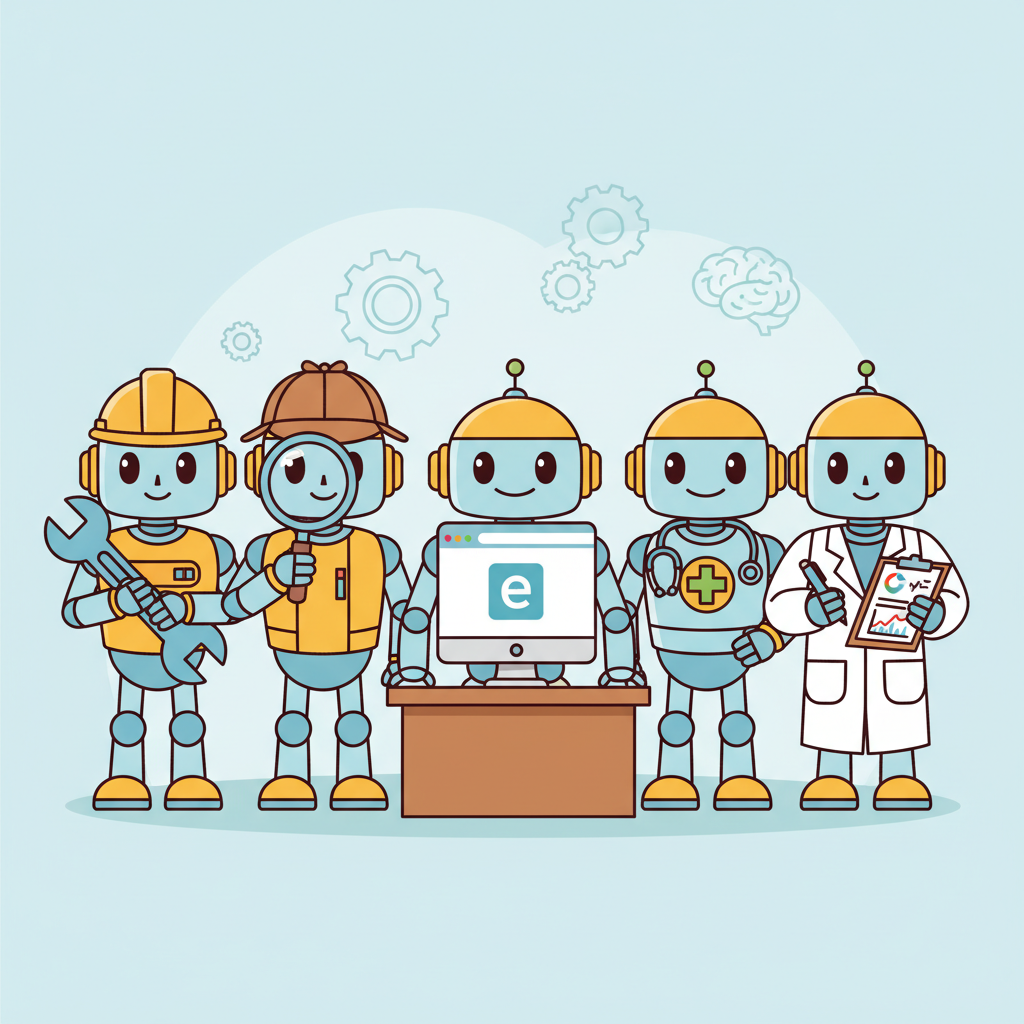
This section includes a hands-on lab: Lab: Build a Code Generation Agent with Self-Debugging. Look for the lab exercise within the section content.
1. The Rise of Code Agents
Code generation agents represent the most commercially successful application of agentic AI. Tools like Claude Code, Cursor, Devin, Windsurf, and GitHub Copilot Workspace have transformed software development by enabling LLMs to write, execute, test, debug, and iterate on code autonomously. These agents operate in a fundamentally different mode from chat-based coding assistants: they have access to the full project context, can run their own code, observe errors, and fix them in a loop without human intervention.
The core architecture of a code agent is a ReAct loop with file system and terminal access. The agent reads source files to understand the codebase, generates code changes, runs tests or linters to verify the changes, and iterates until the tests pass or a maximum number of attempts is reached. This self-debugging capability is what distinguishes code agents from code completion tools. A completion tool suggests the next line; a code agent takes responsibility for the entire change and verifies its own work.
SWE-bench has become the standard benchmark for evaluating code agents. The benchmark presents real GitHub issues from popular open-source projects and measures whether the agent can produce a correct patch. Top-performing agents on SWE-bench Verified solve 50 to 60% of issues as of early 2026, with the best results coming from agents that combine strong reasoning models with effective codebase navigation and test execution tools.
The biggest bottleneck in code agent performance is not code generation but codebase understanding. An agent that can write perfect code is useless if it edits the wrong file, misunderstands the project's architecture, or does not know which tests to run. Invest in tools that help the agent navigate and understand the codebase (file search, symbol lookup, dependency analysis, test discovery) before investing in better code generation. Claude Code's effectiveness comes largely from its file system tools and its ability to read, search, and understand large codebases.
Self-Debugging Loop
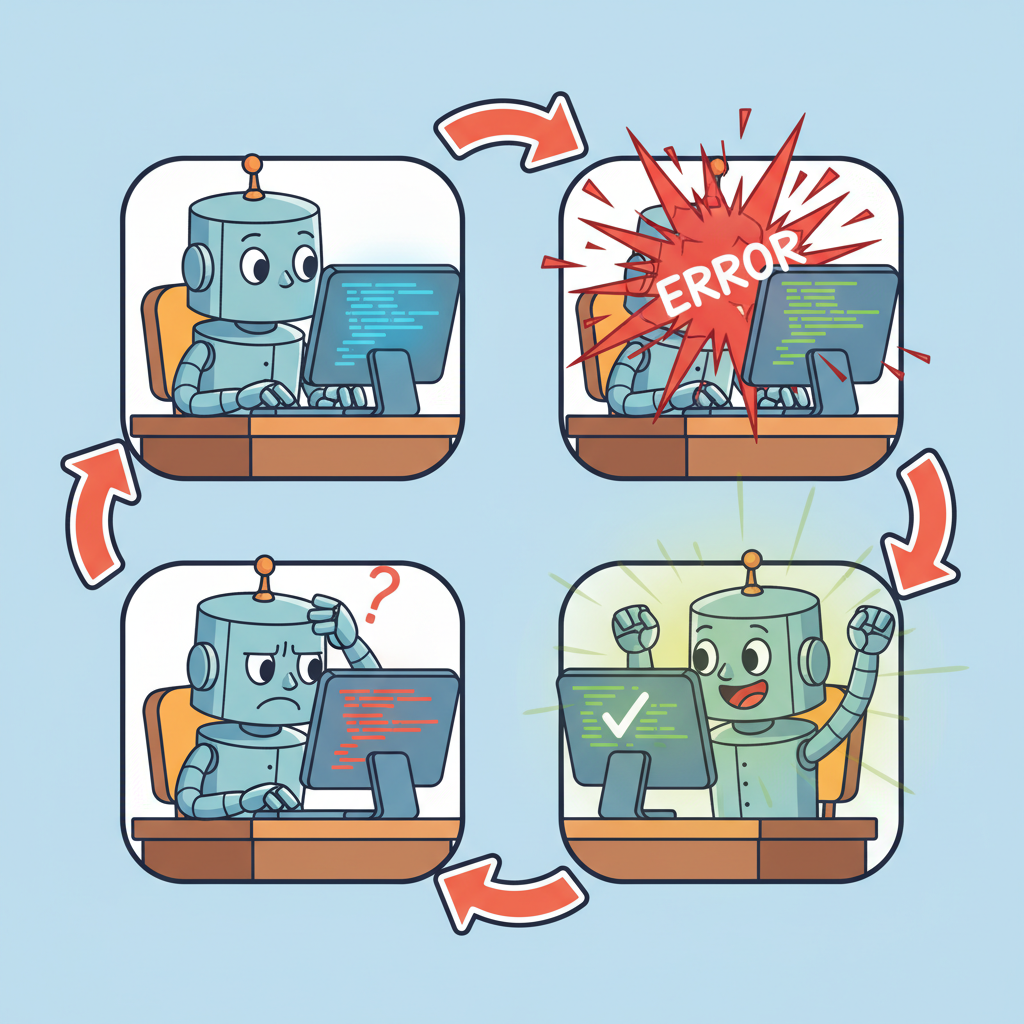
This snippet implements a self-debugging loop where the agent runs code, catches errors, and iteratively fixes them.
import subprocess
from typing import Optional

class CodeAgent:
 def __init__(self, llm, max_attempts: int = 3):
 self.llm = llm
 self.max_attempts = max_attempts

 def solve_issue(self, issue_description: str, repo_path: str) -> Optional[str]:
 # Step 1: Understand the codebase
 context = self.explore_codebase(repo_path, issue_description)

 for attempt in range(self.max_attempts):
 # Step 2: Generate a patch
 patch = self.llm.invoke(
 f"Fix this issue in the codebase:\n\n"
 f"Issue: {issue_description}\n\n"
 f"Relevant code:\n{context}\n\n"
 f"{'Previous attempt failed: ' + error if attempt > 0 else ''}\n"
 f"Generate a unified diff patch."
 )

 # Step 3: Apply the patch
 self.apply_patch(repo_path, patch.content)

 # Step 4: Run tests
 result = subprocess.run(
 ["python", "-m", "pytest", "--tb=short"],
 cwd=repo_path,
 capture_output=True,
 text=True,
 timeout=120,
 )

 if result.returncode == 0:
 return patch.content # Success

 # Step 5: Analyze failure for next attempt
 error = result.stdout + result.stderr
 context = self.analyze_failure(error, context)

 return None # Exhausted attempts

 def explore_codebase(self, repo_path: str, issue: str) -> str:
 """Use file search and grep to find relevant code."""
 # Search for files mentioned in the issue
 # Read test files to understand expected behavior
 # Map the project structure
 ...

 def analyze_failure(self, error: str, context: str) -> str:
 """Use the LLM to understand why the test failed."""
 analysis = self.llm.invoke(
 f"This test failed. Analyze the error and suggest what to fix:\n"
 f"Error:\n{error}\n\n"
 f"Current context:\n{context}"
 )
 return context + f"\n\nFailure analysis:\n{analysis.content}"
The implementation above builds a code agent from scratch for pedagogical clarity. In production, use SWE-agent (install: pip install sweagent), which provides a battle-tested code agent with optimized file navigation and editing tools:
# Production equivalent using SWE-agent
from sweagent import Agent, AgentConfig

config = AgentConfig(model="gpt-4o", per_instance_cost_limit=2.0)
agent = Agent(config)
result = agent.run(issue_description, repo_path)
For a lighter-weight alternative focused on pair programming, see Aider (install: pip install aider-chat), which integrates with Git and supports multi-file editing with automatic commit generation.
The self-debugging loop is what makes code agents qualitatively different from code completion tools. A completion tool suggests code and moves on; a code agent takes responsibility for correctness by running its own output, observing failures, and iterating. This is the ReAct pattern (see Section 22.1) specialized for software engineering: the "observation" comes from the test runner rather than a web search, and the "action" is editing code rather than calling an API. The feedback loop from real test execution grounds the agent's reasoning in reality, which is why code agents outperform pure generation approaches even when using the same underlying model.
2. Production Code Agent Patterns
Production code agents go beyond the basic generate-test loop. They implement test-driven development (write or identify the relevant tests first, then generate code that passes them), incremental changes (make small, testable changes rather than large rewrites), and context management (strategically select which files to include in the context based on the change being made). These patterns dramatically improve success rates on real-world coding tasks.
A critical production concern is safety. A code agent with file system access can overwrite important files, delete directories, or introduce security vulnerabilities. Production deployments use sandboxed environments (Docker, E2B), restrict file system access to the project directory, run with limited permissions, and require human review for changes to critical files (configuration, authentication, deployment scripts). See Section 26.2 for details on sandboxed execution environments.
A code agent that passes all tests may still produce incorrect, insecure, or unmaintainable code. Tests only verify the behaviors they cover; if the test suite is incomplete (and most are), the agent can introduce bugs in untested paths. More subtly, agents sometimes "overfit" to tests by writing code that passes the specific test cases but fails on edge cases or uses brittle patterns. Always combine test-driven agent development with code review (human or automated), static analysis, and security scanning. Passing tests is a necessary condition for correctness, not a sufficient one. Section 25.8 covers AI-generated code quality in detail.
Lab: Build a Code Generation Agent with Self-Debugging
Lab: Build a Self-Debugging Code Agent
Objective
Build a code agent that can solve simple programming tasks by writing code, running tests, analyzing failures, and iterating until the tests pass.
What You'll Practice
- Creating an agent with file read/write and command execution tools
- Implementing a self-debugging loop: generate code, run tests, analyze failures, retry
- Measuring success rate, average attempts per solution, and total token cost
- Implementing graceful failure paths for unsolvable problems
Setup
The following cell installs the required packages and configures the environment for this lab.
pip install openai subprocess32You will need an OpenAI API key and a local Python environment for running generated code.
Steps
Step 1: Create the agent with tools
Define tools for file reading, file writing, and command execution. Set up the agent loop.
# TODO: Define tool schemas for read_file, write_file, run_command
# and implement the agent loop that calls the LLM with tool results
Step 2: Implement the self-debugging loop
Generate code, run tests, and if tests fail, feed the error output back to the agent for another attempt.
# TODO: Implement retry logic with max_attempts=3
# On each failure, include the error traceback in the next prompt
Step 3: Test on coding challenges
Run the agent on 5 small challenges: string manipulation, data structures, file parsing, API client, and a math problem.
# TODO: Define 5 challenges with test cases and run the agent on each
Step 4: Collect metrics and add graceful failure
Record success rate, attempts per task, and token cost. Add a "give up and explain" path for problems unsolved after 3 attempts.
# TODO: Track metrics in a DataFrame and implement the give-up path
Expected Output
- A working agent that solves at least 3 out of 5 coding challenges
- A metrics table with pass/fail, attempts, and token cost per challenge
- Clear "give up" explanations for unsolved problems
Stretch Goals
- Add a code review step before running tests to catch obvious errors
- Implement incremental debugging: fix one failing test at a time rather than regenerating everything
- Compare performance between different models (GPT-4o-mini vs. GPT-4o vs. Claude)
Complete Solution
# Complete solution outline for the self-debugging code agent
# Key components:
# 1. Tool definitions: read_file, write_file, run_command
# 2. Agent loop: call LLM, execute tools, feed results back
# 3. Retry logic with attempt counter and error context
# 4. Metrics collection in a pandas DataFrame
# See section content for the full implementation pattern.
Who: A backend engineer at a payments startup maintaining a 500-file Python monolith with no comprehensive architecture documentation.
Situation: A production alert flagged duplicate payment processing. The engineer suspected a race condition but was unfamiliar with the queue processing subsystem, which had been written by a former team member.
Problem: Manually searching through 500 files to locate the race condition would take hours. The engineer needed to understand the codebase structure, find the relevant module, diagnose the concurrency issue, and verify the fix, all without introducing regressions.
Decision: The engineer described the symptom to Claude Code: "Fix the race condition in the payment processing queue." Claude Code searched for files related to "payment" and "queue," read the top matches, identified the relevant module (services/payments/queue_processor.py), diagnosed shared state accessed without locking, generated a fix with proper mutex guards, ran the test suite, discovered the fix broke a different test, and iterated until all tests passed.
Result: The entire cycle from diagnosis to passing tests took 18 minutes. The engineer estimated the same task would have taken 3 to 4 hours without agent assistance, primarily because the codebase navigation (not the fix itself) was the bottleneck.
Lesson: In large codebases, the ability to search, read, and navigate is more valuable than the ability to generate code; the bottleneck is finding the right files, not writing the fix.
Exercises
Describe the typical architecture of a production code generation agent. What tools does it need, and how does the agent loop differ from a general-purpose agent?
Answer Sketch
A code agent needs: file read/write tools, code execution (sandbox), test runner, search/grep tools, and possibly version control tools. The loop differs because it includes a tight feedback cycle: write code, run tests, observe failures, fix code. The agent must maintain a mental model of the codebase structure and track which files have been modified.
Write a Python function that implements a self-debugging loop: generate code, run it, capture any error, and feed the error back to the LLM for correction. Limit to 3 retry attempts.
Answer Sketch
In a loop: (1) call the LLM to generate code, (2) execute in a sandbox, (3) if execution succeeds, return the result, (4) if it fails, append the error traceback to the conversation and retry. Track attempt count and break after 3. Include the original requirements and all previous attempts in each retry prompt so the model does not repeat the same mistake.
What factors determine whether a code agent succeeds on a SWE-bench task? Rank the following by importance: model quality, tool design, codebase navigation strategy, and context window size.
Answer Sketch
1. Codebase navigation strategy (finding the right files is the prerequisite for everything else). 2. Model quality (reasoning about the fix). 3. Tool design (efficient file reading, search, and editing). 4. Context window size (important but manageable with good navigation). Many failures are navigation failures, not reasoning failures. An agent that cannot find the relevant code cannot fix the bug.
Implement a 'search before read' repository navigation strategy. The agent should first search for relevant files using grep/ripgrep, then read only the most relevant files, rather than reading entire directories.
Answer Sketch
Step 1: search for keywords from the issue description using a search tool. Step 2: rank matching files by relevance (number of matches, file path heuristics). Step 3: read the top 3 to 5 files. Step 4: if the relevant code is not found, broaden the search with related terms. This approach is far more token-efficient than reading files sequentially.
What are the risks of 'vibe-coding' (generating code from high-level descriptions without reviewing the output)? How should developers balance productivity gains with code quality?
Answer Sketch
Risks: subtle bugs the model introduces but the developer does not catch, security vulnerabilities in generated code, accumulation of technical debt from code the developer does not fully understand, and over-reliance on the model for understanding the codebase. Balance: use AI for drafting and boilerplate, but always review generated code, run tests, and understand what the code does before merging.
Never let a code-executing agent run directly on your production server. Use Docker containers, E2B sandboxes, or AWS Lambda with strict resource limits (memory, CPU, network access). One malformed command can take down your system.
- Code generation agents combine LLM code generation with tool-based execution and test feedback in iterative loops.
- Self-debugging loops significantly improve pass rates by feeding test errors back to the model for correction.
- The core tool set for code agents includes file read/write, command execution, and search.
Show Answer
A self-debugging loop runs the generated code against tests, feeds error messages back to the LLM, and lets it fix the code iteratively. This improves pass rates because many initial code generations are close to correct but have minor bugs that the LLM can fix when given the error context.
Show Answer
At minimum: file read (to understand existing code), file write (to produce code), and command execution (to run tests and get feedback). More sophisticated agents add search (to find relevant files in large repos), diff generation, and linting.
What Comes Next
In the next section, Browser and Web Agents, we explore agents that navigate websites, fill forms, extract data, and perform complex web-based tasks autonomously.
References and Further Reading
Code Generation Models and Benchmarks
Introduces Codex and the HumanEval benchmark, establishing the foundation for evaluating code generation capabilities that modern code agents build upon.
The standard benchmark for evaluating code agents on real-world software engineering tasks, requiring navigation of large codebases and generation of correct patches.
Introduces the Agent-Computer Interface (ACI) design principles for code agents, showing how interface design dramatically impacts agent performance on SWE-bench.
Production Code Agents
Anthropic (2025). "Claude Code: Best Practices for Agentic Coding." Anthropic Engineering Blog.
Practical guide to building effective agentic coding workflows with Claude Code, covering prompt design, tool configuration, and integration patterns.
Cognition AI (2024). "Devin: AI Software Engineer." arXiv preprint.
Describes the architecture of Devin, an autonomous code agent capable of end-to-end software engineering tasks including planning, coding, debugging, and deployment.
Cursor Team (2025). "Cursor: An AI Code Editor." arXiv preprint.
Describes the architecture and design decisions behind the Cursor AI code editor, illustrating how code agents can be integrated into developer workflows.